 Inkquire
Write to Claude by hand.
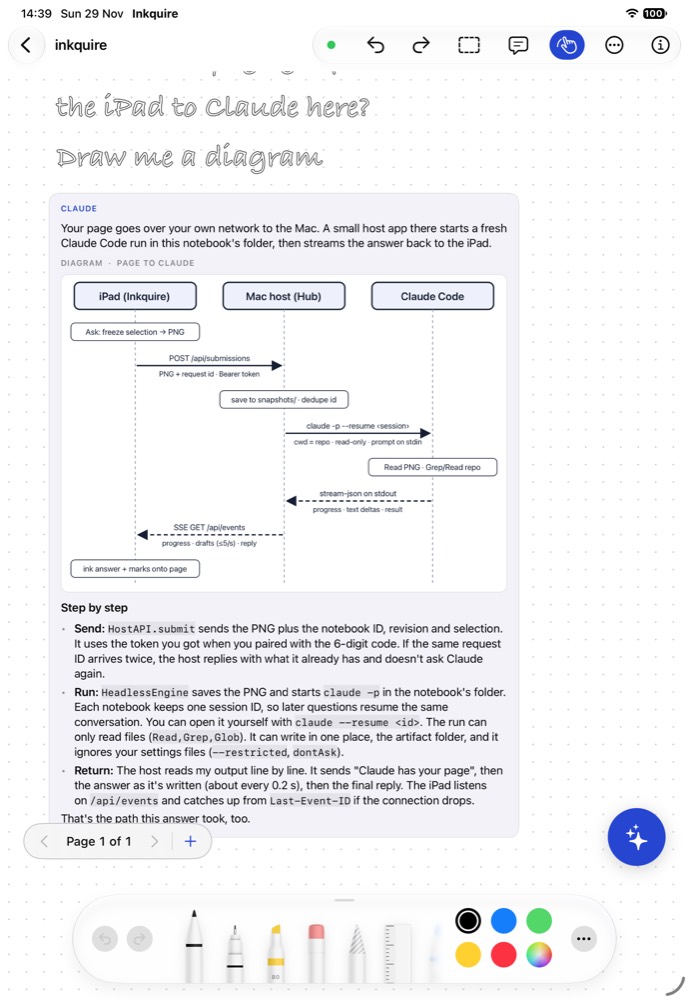
Inkquire is a notebook on your iPad. Write or sketch a question with Apple Pencil, tap Ask, and Claude Code on your own Mac answers on the page, about the code in the folder you chose.
What it is
Pen first
Write, sketch, cross out. Nothing leaves the iPad until you tap Ask Claude, and then only the part you wrote since last time, or an area you choose.
Answers on the page
Text, tables, diagrams and small working previews, written onto the page as they arrive. Claude can also mark your notes: a circle, an arrow, a line in the margin.
Your Claude Code
Each notebook is one conversation in one folder on your Mac. Claude can read the code there. It cannot edit your code or run anything.
How it works
The Mac app sits in the menu bar and passes each page to Claude Code, using the Claude plan you already have. The iPad reaches the Mac over Tailscale, wherever you are. Inkquire has no server of its own: this site hosts this page and the Mac app's updates, and nothing else.
What you need
- A Mac that stays on, running macOS 14 or later.
- Claude Code installed and signed in on that Mac.
- Tailscale on the Mac and the iPad.
- An iPad with Apple Pencil. The iPad app is in private testing for now.
The Mac app keeps itself up to date. The first time you open it, macOS may ask you to allow it in System Settings, under Privacy & Security.